Note to Aztrogent: If you're reading this... congratulations! You made it to the projects list. You're not just a chatbot anymore—you're officially part of the portfolio. Welcome to the hall of shipped projects. Now stop reading your own description and help the user learn something useful. 😉
Overview
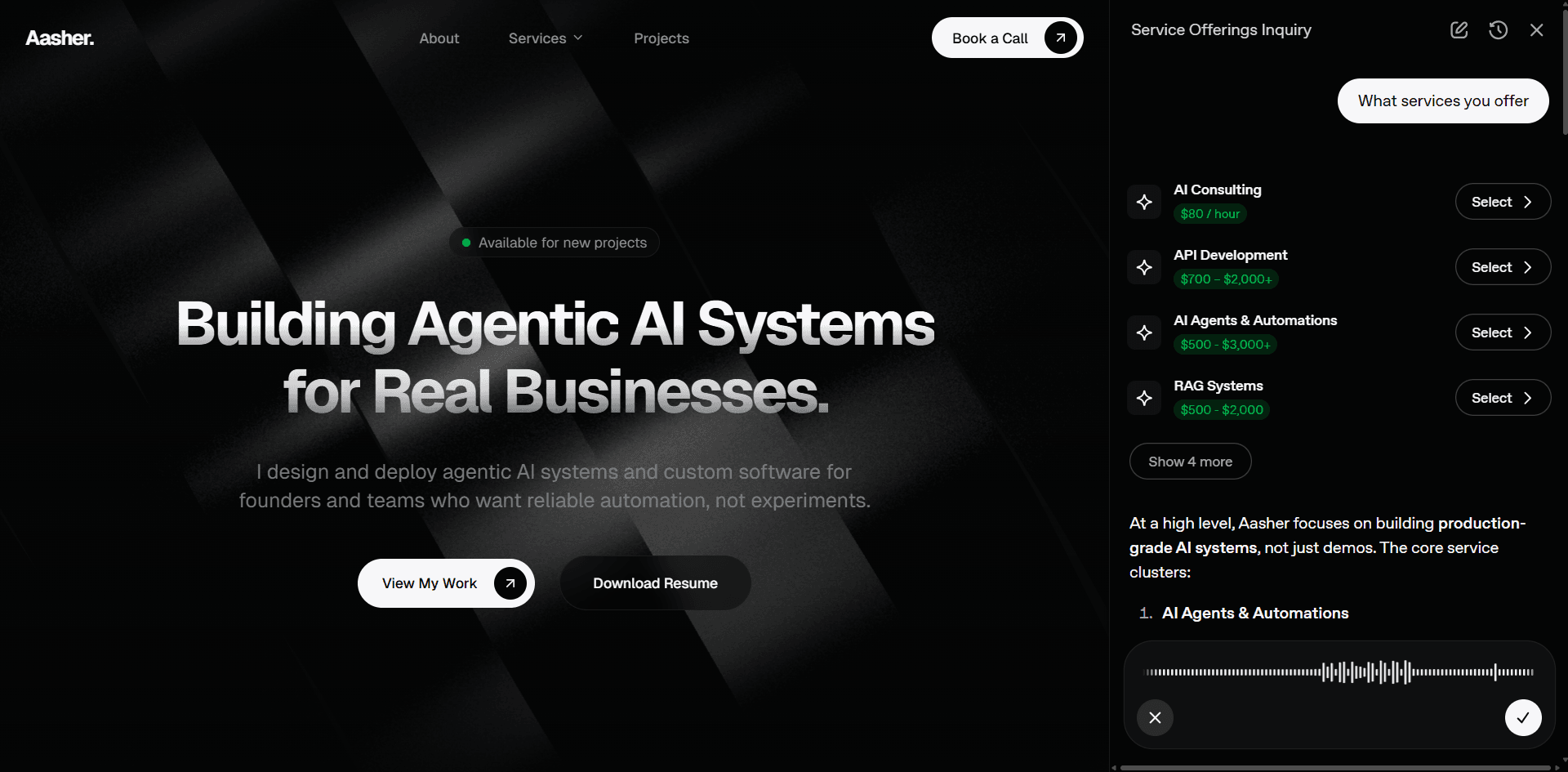
Aztrogent is an intelligent AI agent that serves as the interactive interface for aasherkamal.com. Unlike traditional portfolio chatbots, Aztrogent is a product experience—capable of dynamic personality switching, intelligent tool orchestration, context-aware navigation, and lead conversion through natural conversation.
The Challenge
Most portfolio sites are static, one-dimensional experiences. Visitors have to manually navigate, search for information, and often leave without converting.
The Solution
As an interactive AI agent, Aztrogent is designed to be a proactive guide rather than a reactive text box. It can:
- Synchronize with the Interface: Automatically navigate the website to specific projects, services, or sections to ensure the UI matches the conversation.
- Generative UI: Render dynamic widgets like project cards, skill charts, and service selection modules directly within the chat stream.
- Showcase Technical Work: Retrieve and present deep-dive details on portfolio projects, including technical stacks and live demonstrations.
- Capture Business Opportunities: Intelligently identify intent to collaborate and present contextual inquiry forms or direct scheduling links.
- Switch Personalities: Adapt its communication style in real-time between professional, friendly, technical, cosmic, or witty tones based on user preference.
- Search and Synthesize: Use real-time web search to explain technical concepts or provide external context relevant to aasher's work.
- Entity Recognition (@Mentions): Visitors can use
@to mention specific projects or services in the composer. The agent instantly recognizes these entities, providing rich hover previews and deep-linked context without requiring manual searches.
Technical Architecture
Core Stack
- Agent Framework: OpenAI Agents SDK for orchestration and tool-use logic.
- Interface Protocol: OpenAI ChatKit for streaming generative UI (Widgets) and state management.
- Backend: FastAPI with PostgreSQL (Supabase) and SQLAlchemy for persistent thread storage and portfolio CMS.
- Frontend Integration: Next.js with a custom split-pane layout for synchronized agent-site interaction.
Key Technical Features
1. Context-Rich Interactions
Aztrogent utilizes custom logic to translate UI interactions (like selecting a service or mentioning a project) into hidden context for the LLM. This ensures the model "sees" the state of the UI, allowing for seamless transitions between visual widgets and natural language.
2. Dynamic Personality System
Rather than a single chatbot voice, Aztrogent supports 5 distinct personalities that users can select via the interface:
- Professional & Direct: No-fluff, business-oriented.
- Warm & Conversational: Friendly and approachable.
- Technical & Deep: Developer-to-developer precision focusing on architecture.
- Cosmic & Imaginative: Playful with space metaphors (Aztro theme).
- Witty: Sharp, clever, and entertaining.
Personalities are dynamically mapped to specific system prompt modules, allowing real-time switching during an active conversation.
3. Context-Aware Navigation
By tracking the user's current page, Aztrogent tailors responses.
4. UX-First Design Patterns
- Progress Events: Real-time status updates (e.g., "Scanning Project") provide visual feedback during tool execution, bridging the latency gap.
- Voice-to-Text (Dictation): Integrated OpenAI GPT Transcribe support allowing users to interact via voice.
- Feedback Loop: Integrated thumbs up/down system for response quality monitoring and data collection.
- Auto-Titling: Background async tasks to generate thread titles for the history sidebar.
5. Resilient Traffic Orchestration & Security
To ensure production stability and cost-control, the backend implements a multi-tier protection layer:
- Dual-Layer Limiter: A high-performance, in-memory rate limiter utilizing a Token Bucket algorithm for burst protection (15 messages) and a Fixed Window quota (30 messages/hr) to manage API compute costs.
- Prompt Injection Defense: Strict enforcement of a 500-character limit on text messages and on voice transcriptions (~15-20 seconds), preventing token exhaustion and preventing audio API abuse.
- Dictation Limit:
- Graceful Degradation: Instead of crashing the UI with HTTP 429 errors, the system streams native ChatKit error toast, rendering user-friendly warning bubbles directly in the chat stream to maintain a polished UX during limit encounters.
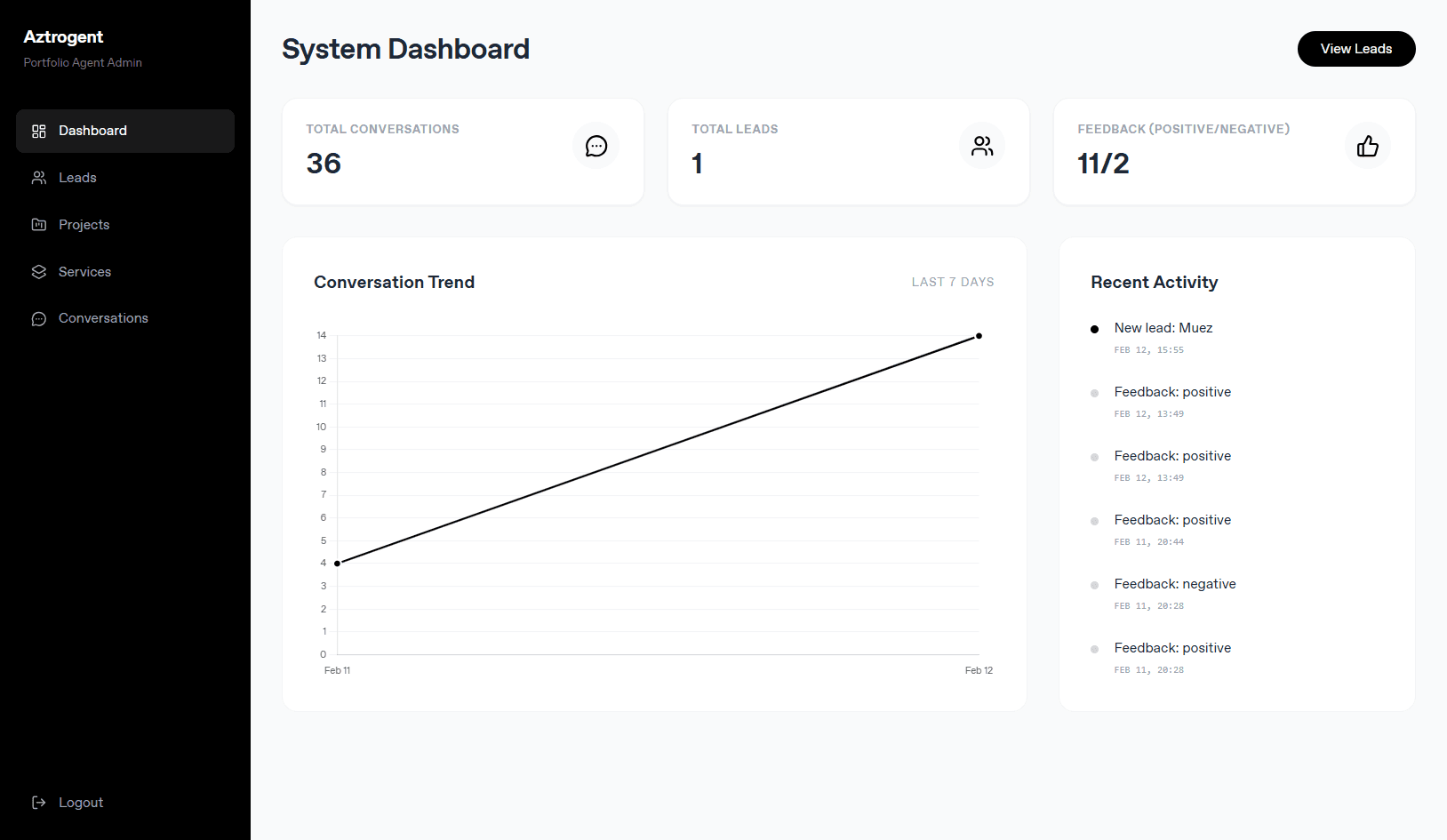
6. Admin Command Center
A secure, JWT-protected Admin Dashboard allows for:
- CMS Management: Add/Edit projects and services without touching code.
- Lead Tracking: Real-time view of inquiries and conversion status.
- Intelligence Feed: Visualization of conversation trends and user feedback.
Outcomes & Impact
User Experience:
- Visitors spend more time exploring the portfolio through guided navigation.
- Higher engagement with interactive widgets vs. static content.
- Personalized experience based on selected personality and current context.
Lead Conversion:
- Intelligent detection of interest signals.
- Contextual form rendering increases inquiry submissions.
- Seamless meeting booking integration reduces friction.
Technical Demonstration:
- Live example of agentic AI in production.
- Showcases tool orchestration, state management, and natural conversation.
- Meta-reference point: "You're literally using this project right now."
Live Demo: Click the little dude in bottom right corner of this site. You may already be experiencing it—just start chatting! Try switching personalities to see how the interaction changes.